
Winxvideo AI [1 Year License/3 PCs]

Author Company: Digiarty Software, Inc.
Winxvideo AI [1 Year License/3 PCs], rebranded and upgraded version of WinX HD Video Converter Deluxe, ... ...
File Size:
OS:
License: - Time Limit, free to try, to buy.
File Size:
OS:
License: - Time Limit, free to try, to buy.


Winxvideo AI [1 Year License/3 PCs]
Enhance, Convert, Compress & Process Media Files Fast and Easily

Winxvideo AI - Video & Image Enhancer, Converter, Editor, and Recorder
Winxvideo AI,a rebranded and upgraded version of WinX HD Video Converter Deluxe, is a one-stop AI video toolkit to upscale video/image from low quality to 4K, stabilize shaky video, and boost fps from 24 to 60/120. Convert, compress, edit video, and record screen with GPU acceleration.
Leverage advanced AI to elevate video quality, restore image detail, improve audio clarity for superior result
- Stabilize handheld shots
- Minimize camera shake
- Create Slo-mo
- Remove motion blur
DSLR, mirrorless, monitor, camcorder
Revitalize classic MVs, low-pixel home recordings, & videos from VHS/DVD/mini DV.
- 480P to 1080P/4K
- 24fps to 60fps
- Restore video/image
- Up to 4X upscaling
- Recovery face
- Colorize B&W photo
- Blurry
- Noisy
- Blocky
- Interlaced
- Heavily Compressed
- Upscale to 4K/8K/10K
- Fix soft AI outputs
- Batch process
- GPU-accelerated
AI Super Resolution gets a major performance boost, offering up to 80% faster video upscaling and enhancements. By leveraging the latest V3 models, it can swiftly upscale both real-world and AI-generated videos up to 4K, while denoising, debluring, and generating real details without introducing artifacts.
Bid farewell to format compatibility struggles and hefty file sizes. Winxvideo AI takes care of all your audio/video conversion needs and compresses your 4K/8K footage from GBs to MBs without compromising quality, backed by full GPU acceleration. Whether playing local files on mobile/PC, transforming GoPro adventures into compact wonders, or sharing cherished memories across social platforms, Winxvideo AI has you covered.
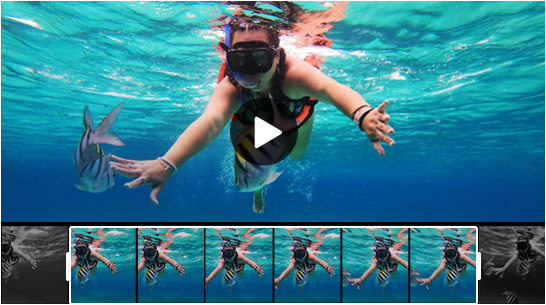
Craft compelling stories with the video editor. Trim video down to the essence, split video into shorter clips for faster sharing, remove distractions, & highlight the best moments to captivate the audience.
Combine MP4, MKV, MOV, AVI, WMV files quickly and easily, weave together multiple clips into a captivating and cohesive narrative seamlessly, and therefore keep your viewers hooked.
Every frame matters. With the crop tool, you can eliminate black bars, choose popular aspect ratios (16:9, 9:16, 4:3, 1:1) and adapt content seamlessly to platforms like YouTube, Instagram, and Facebook.
Enable, disable, select and extract subtitle tracks. Search & download subtitles for movies and TV shows. Customize font, size, color, position. Add external subtitles (.ass, .ssa, .srt) to resonate with audience.
Elevate your footage with 16 captivating effects, from sharpening, blurring, to adding stylish grayscale layer. Tailor your videos with precise adjustments to brightness, contrast, hue, gamma, and saturation.
Add watermark to your video with text, image, logo, or timecodes. Repost your video content across various social platforms and bring more awareness to your brand.
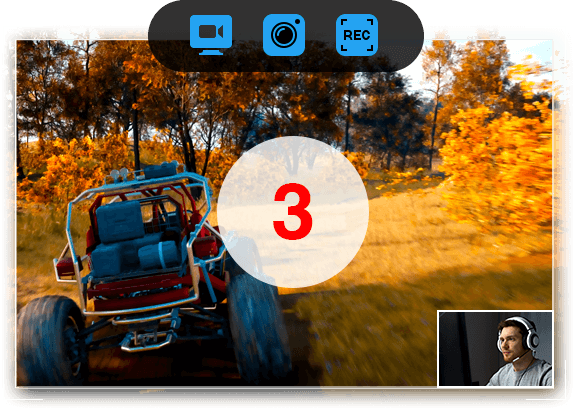
Record full/custom screen, webcam, picture-in-picture, audio, and highlight important area. Now with up to 4K 60fps support. Whether you want to play games, deliver presentations, take online courses, save video calls, create demos, or host online meetings, the screen recorder addresses your needs.
Change video speed from 0.1x to 16x for dynamic action or profound emphasis.
Rotate video by 90, 180 and 270 degrees, and flip your clip vertically or horizontally.
Remove fisheye lens distortions from action cam footage.
Reduce disruptive background noise, such as wind, from your GoPro recordings.
Create GIF from video, take snapshot, extract and resize images in jpg/png.
Force A/V sync, set audio delay, adjust audio volume, enable/disable audio tracks.
-
Photographer
Optimize Your Visual Storytelling like a Pro
Say goodbye to challenges like noise, blur, misfocus, camera shake, and more in your recordings – whether they are wedding ceremonies, commercials, or animal documentaries. Discover all-in-one solution at Winxvideo AI, spanning video stabilization, resolution upscaling, rough cutting, cropping, merging, simple edits, and batch conversion. Elevate your photography and tailor your masterpiece to diverse devices and platforms.
-
Vlogger
Unleash Your Creative Potential and Level Up Your Content's Influence
Elevate your vlogging and content creation with Winxvideo AI. Seamlessly record, convert, edit, and enhance your videos for a professional touch. Whether you're a seasoned vlogger or just starting, Winxvideo AI offers a range of features from video stabilization to video upscaling, ensuring your content stands out. Trim, merge, and add dynamic effects effortlessly, tailoring your videos for diverse platforms. Compress files for swift sharing and keep your audience engaged with polished and captivating content. Level up your vlogs and creations with Winxvideo AI now.
-
Marketer
Refine Your Video and Engage Customers across Platforms
Record product demos, marketing video, or virtual business meetings with Winxvideo AI. Batch convert and optimize video for various marketing channels and social platforms. Compress video for fast transfer via cloud or email. Craft engaging promos with styled text or annotations. Fast-forward through unnecessary sections and slow down for emphasized chats and statistics to keep your audience engaged. Elevate your online presence, drive more traffic and conversions with Winxvideo AI now.
-
Sports Fan
Empower Your Sports Adventures with Ease
Have you ever recorded thrilling adventures with GoPro, DJI, or an iPhone? Winxvideo AI rescues your footage – eliminate dimness, noise, shakiness, motion blur, etc. Stabilize and enhance video quality, slow down for highlights, craft dynamic edits, and shrink your footage for faster sharing on various platforms. With Winxvideo AI, you can enjoy your sports videos in full glory and share them with your friends and family without any hassle.
-
Gamer
Elevate Your Gaming Experience Effortlessly
Capture your epic gamplay moments, walkthroughs, and tutorials. Efficiently split, trim, crop, and merge your game highlights into an epic video. Boost your game video frames up to 120/240fp for a smooth viewing, and share your victories on Discord, Twitch or YouTube to reach a wider audience. Record and create engaging gaming content with Winxvideo AI now.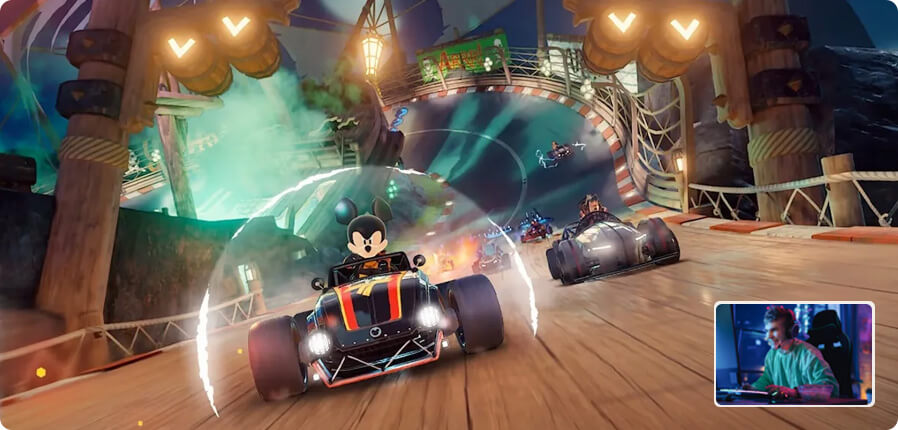
-
Educator
Enhance Teaching and Learning Experiences
Revolutionize the learning experience with Winxvideo AI. Create impactful educational videos for in-class presentations, how-to guides, webinars, and remote instruction, etc. Annotate vital points, cut out unnecessary clips, add subtitles, convert video, and enhance comprehension and retention with visual and auditory elements. Break free from inefficient learning models, making education accessible, engaging, and collaborative.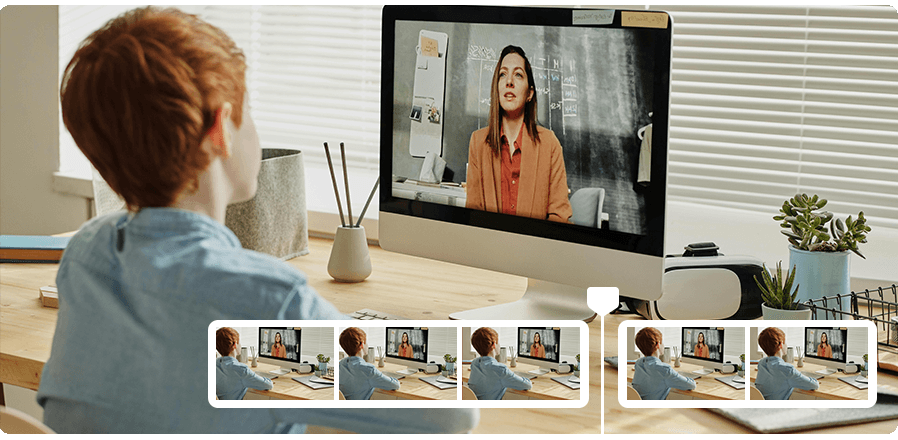
Winxvideo AI features a lightweight interface engineered to simplify every video processing and keep pace with the latest digital trends to give you total control over the new 4K, HEVC, and AI techs. It takes the lead in supporting unique level-3 hardware acceleration, dramatically speeding up video transcoding to a new level, with the best balance between quality and size.
Winxvideo's AI tools, incl. image upscaling and enhancement, video upscaling, stabilization, and frame interpolation, require a large amount of computing power and therefore demands more RAM and disc space. Here are the minimal requirements if you are going to utilize Video AI and Image AI to enhance your video or photo:
- Operating System : .
- GPU :
- General GPU Requirements :
- APIs for GPU Computing: Vulkan ≥ 1.2.x, OpenCL ≥ 1.0.
- NVIDIA: Quadro 410 or higher, GeForce GT 630 or higher, GeForce GTX645 or higher
- Intel: Intel® UHD Graphics 620 (WHL GT2) or higher, Graphics 510 or higher.
- AMD: AMD Radeon RX550 series or higher.
- Deep Learning Inference Optimization (TensorRT) :
For users seeking maximum performance with NVIDIA GPUs, WinXVideo AI leverages NVIDIA TensorRT™ for optimized deep learning inference. Here's the system requirement:
NVIDIA GPU computer capability :- Compute Capability: 6.0 or higher.
- Compatible models: GeForce GTX 1050 or higher.
- CUDA Runtime Version: 11.1 or higher.
- NVIDIA Graphics Driver Version: 452.39 or higher.
- General GPU Requirements :
- RAM Memory : 2GB or above
- Hard Disk Space : 1GB or above
- Operating System : .
Please note the video downloader feature is no longer supported on Windows 7. - GPU :
Winxvideo AI automatically detects and utilizes GPU acceleration if your computer has a proper hardware, so that you can process and export video efficiently with high quality.- NVIDIA : NVIDIA® GeForce GT 630 or higher
- Intel : Intel® HD Graphics 2000 or higher
- AMD : AMD Radeon HD 7700 series (VCE 1.0) or higher
- Apple Silicon : M1/Pro/Max/Ultra, M2/Pro/Max/Ultra, M3/Pro/Max, M4/Pro/Max
- Processor : 1 GHz Intel® or AMD® processor (Minimum)
- RAM Memory : 1GB RAM (Recommended: 2GB or above)
- Hard Disk Space : 200MB of hard-disk space for installation
- Video (8K/4K/2K/HD/SD) : AV1, H.264/MPEG-4 AVC, H.265/HEVC, H1V, AVI, MKV, MMV, MP4, MPE, MPEG, MPEG2, MOD, TOD, MOV, QT, AVCHD, AVI, AVS, AMV, ASF, MPEG, M1V, M2P, M2TS, M2V, MP2V, MPEG4, MPG, MPG4, MTS, MTV, MXF, WMV, FLV, F4V, DIV, DAT, DAV, DV, DVR-MS, DivX, Xvid, XAVC-S, XWMV, MOV, RM, RMVB, RPM, RT, VOB, ASF, 3G2, 3GP, 3GP2, 3GPP,QT, DAT, Google TV, WebM, WM, WMP, WMV, WTV, VOB, VP6, VP8, VP9, VPX, VRO, YUV411, G2M4, iCod, mp2v, OGM, OGV, SWF, TS.
- Image : PNG, JPG, PBM, XBM, JPEG, PGM, PPM, XPM, TIF, TIFF, WebP, BMP, AVIF, JFIF, HEIC.
- Audio : MP3, AAC, AC3, DTS, FLAC, M2A, M4A, AIFF, AMR, A52, AIF, ANX, AOB, APE, AQT, ASX, AXA, MKA, MLP, MP1, MP2, MPA, MPC, OGA, OGG, OMA, RA, RAM, SPX, VQF, WAV, WMA, WV, XA, XM, TTA, VOC
- Website : 1000+ online video sites: YouTube, Yahoo, Google Plus, Facebook, DailyMotion, Vevo, Break, CBS, UStream, MTV, Vimeo, Niconico, SoundCloud, Audiomack, etc.
- Other : HDR, 2D, 3D, 360° VR, Alpha videos, M3U8 content folder, M3U8 link
- Format :
4K/HD Video :
AV1, MKV (AV1), 4K MP4 (H264), 4K HEVC (HEVC), 4K MKV (H264), 4K MOV (H264), 4K ProRes (PRORES), 4K WebM (VP8/VP8), TS HD (MPEG2), AVC HD (H264), MKV HD (H264), MPEG HD (MPEG2).
General :
MP4 (H264/MPEG4), HEVC, AVI (DivX/Xvid), MPEG (MPEG4), MKV (H264), MOV (H264), DivX, WebM (VP8), WMV (WMV2), M4V (H264), DV (DV-NTSC), F4V (H264), FLV (H263), 3GP (H263), 3G2 (Xvid), ASF (MPEG4), MPEG1, MPEG2, OGV, SWF, NTSC VOB (MPEG2), PAL VOB (MPEG2).
Web Sharing :
YouTube (MP4, FLV), Facebook (MP4, MOV, AVI, FLV), Vimeo (H264), WMV (WMV2), AVI (DivX), MOV (MPEG4), MP4 (MPEG4), FLV (H264).
Audio & Image :
MP3, M4A, AAC, iPhone Ringtone, AC3, WMA, AIFF, CAF, DTS, OGG, WAV, FLAC, PNG, JPG. - Apple :
iPhone
iPhone 17 (Pro), iPhone Air
iPhone 11-16 (Mini/Pro/Max)
iPhone XS (Max)/ XR
iPhone 4S - X/8/8 PlusiPad
iPad Pro 1st-7th
iPad Mini 1st-7th
iPad Air 1st-7th
iPad 1st-11thOther
Apple TV 4K/HD/4/3/2/1
iPod touch/nano/classic
iTunes/iDVD
Final Cut Pro/iMovie/ProRes
- Android :
Huawei :
General Huawei Mobile Video, Huawei Mate 20/10/9, Huawei P30/20 Series, Huawei Nova 2/3/4/Plus, Huawei Honor 9/8/7, Huawei Ascend/G series, General Huawei Pad Video, Huawei MediaPad M5/M3/T3/T2/10 FHD/Link LTE.
Samsung :
General Samsung Mobile Video, Samsung Galaxy S10/9/8, Samsung Galaxy Note 9/8/5, Samsung Galaxy A8/7/5, Samsung Galaxy J7/5, General Samsung Pad Video, Samsung Galaxy Tab S/A/E/Book.
Google/HTC/More :
General Android Phone/Pad, Google Mobile, Aquos/Fujitsu/OPPO/Vivo/Mi, HTC/Acer/Lenovo/Amazon/LG Video, General Android Pad, Google Pad, HTC/Acer/Lenovo/Amazon/Asus Video. - Microsoft/Sony/More :
Microsoft
Microsoft WP8 Pad
Nokia Lumia 2520
Microsoft Surface Pro 3/2
WP8 Mobile
Xbox/360
XBox One/Series
Surface Pro/Laptop/Book/StudioSony
PS5/4/3
PSP/PS Vita
Xperia 10/XZ/Z/XA Series
Xperia X/Compact/TabletOthers
Chromecast
Blackberry
Nokia
PDA
ZEN
More Products from company Digiarty Software, Inc. :
Check for all products list from Digiarty Software, Inc. ...
Check for all products list from Digiarty Software, Inc. ...