 Utilities
Uninstallers
IObit Uninstaller 15 Free Description
IObit Uninstaller 15 Free

Author Company: IObit
IObit Uninstaller 15 Free is a Completely Uninstall Unwanted Software, Windows Apps & Browser Plug-ins. ... ...
File Size:
OS:
License: .
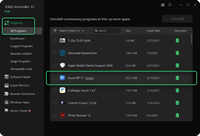
File Size:
OS:
License: .

IObit Uninstaller 15 Free
Completely Uninstall Unwanted Software, Windows Apps & Browser Plug-ins
IObit Uninstaller for Windows | Free & Fast
IObit Uninstaller Free helps remove any app or program on Windows 11/10.
Download the uninstaller for PC free to keep your computer clean, fast, and safe.
Download the uninstaller for PC free to keep your computer clean, fast, and safe.
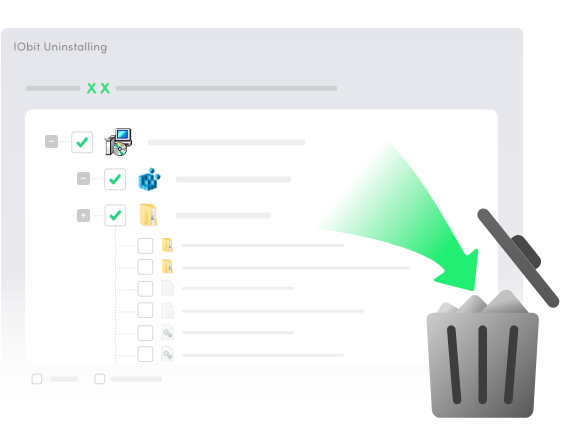
IObit Uninstaller completely removes unwanted software from Microsoft Store and third-party sources on PC. It can accurately detect and delete various types of stubborn programs, bundleware, and hidden items. All associated leftovers, including temporary files, registry entries, executables, and configurations, will be cleared thoroughly. With the powerful uninstaller for Windows, it’s easy to keep your system clean, secure, and running at peak performance.
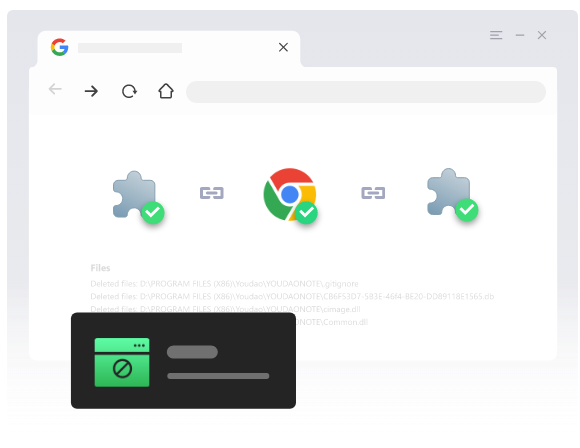
IObit Uninstaller Free 15 also works as a powerful browser extension manager and uninstaller for Windows users. With a massive database behind it, IObit identifies extensions across Chrome. Firefox, Edge, and Internet Explorer, and allow you to manage them in one place. You can see whether your installed plug-ins are trusted and uninstall any of them readily. To strengthen your safety and privacy in the digital space, the uninstaller for PC also supports blocking spam notifications and pop-ups.

Use IObit Uninstaller Software Free to safeguard your PC system during every installation. It enables you to track all changes made to your system by an installer, with the detailed logs provided. You can drag a setup file into the uninstaller free to check out the modifications or start an advanced automatic mirroring throughout the PC. If you find any change appears unnecessary or inappropriate, IObit gives an easy uninstallation option for the associated program.
IObit Uninstaller serves as a one-stop solution or Software Health management. By only 1-click scanning, it can find out outdated software, uninstallation leftovers, redundant files, hibernated software, unauthorized permissions, intrusive notifications, and other issues affecting the system health. No matter how many software health problems there are, the Fix All feature will help repair them at a time for a cleaner, smoother, and faster Windows PC.

As one of the best uninstallers for PC, IObit Uninstaller easily removes unwanted programs, plug-ins, and Windows apps for a cleaner and safer system.
And now it gets even better with all the new updates below.
And now it gets even better with all the new updates below.

Uninstall 4000+ stubborn & malicious software like MPC-HC, IntelliJ IDEA, Rockstar Games that refuse to be found and removed before.

Shred and permanently remove unwanted files from the PC beyond recovery. The sensitive files cannot be modified or read.

Manage all software permissions and more uninstallation leftovers and malicious plugins will be removed.

Recording more installation process like Added Service, Scheduled Plan and DDL File.
Why is IObit Uninstaller Free the next-level choice for Windows users?
Easily identify and remove hidden, hard-to-delete, and unused programs and extensions for a truly clean system.
Feel exclusive IObit features - Drag its icon to clear any program via the Easy Uninstall mode and track installs on your PC via Auto Mirror.
Freely control the scan scope, tailor install notifications, and select and batch-remove chosen programs after quick setup.
Well-structured UI for easy access, smooth navigation, and efficient actions on the uninstall tool.
- Step 1. Locate the Program
Launch IObit Uninstaller 15 Free and find the program you want to uninstall. Use the Search feature to locate it quickly. To remove multiple programs, select them all. - Step 2. Uninstall the Program
Click the Uninstall button in the upper-right corner. In the pop-up window, choose whether to create a restore point and automatically remove residual files. Then click Uninstall again to complete the process. - Step 3. Run Software Maintenance
Let the uninstaller take care of your PC software as part of your daily routine. Go to Software Health to scan for issues and fix them easily. Enable Auto Monitor or use manual monitoring to track all changes related to installations.
IObit Uninstaller Free effortlessly removes any program and all related files from your Windows PC.

Powerfully remove beyond 4,0000 hard-to-uninstall software without a hurdle.

Display all extensions and toolbars installed in your browsers with detailed information, helping you decide whether to keep or remove them.

Detect all bundled apps within your desired program and remove unfavorable components without affecting the main software.

Scan and uninstall 39+ pre–installed apps as well as those downloaded from the Microsoft Store.

Eliminate software you rarely use or no longer need.
Clear leftover files from past and recent uninstallations. Remove all traces via a simple action.
- Bulk uninstall multiple programs at one go.
- Smartly remove unseen software and files.
- Fix “Can’t install the software” at one click.
- Support massive programs, apps, & plug-ins.
- Strong removal without traces.
- Only allows you to manually install apps one by one.
- Can’t detect some apps and display the Uninstall option.
- Random uninstall errors and conflicts.
- Stubborn programs always persist after uninstalltion.
- Often leaves an abundance of useless leftover data.
Free software monitor and uninstaller for Windows that manages programs and extensions well.
Turn software removal into a breeze.
Turn software removal into a breeze.
Free Download Buy PRO
- Operating System : .
- Processor : 1 GHz Intel, AMD, or equivalent processor (2 GHz recommended).
- RAM Memory : 512 MB (1 GB or more recommended).
- Storage : 300 MB of free space.
- Display : 1024 x 768 screen resolution or higher.
This is the version.