 Utilities
System Utilities
Print Conductor Description
Print Conductor

Author Company: fCoder SIA
Print Conductor is a useful batch printing tool to print multiple PDF, Word, and many other documents in an organized way and user-defined order. ... ...
File Size:
OS:
License: - Time Limit, free to try, to buy.
File Size:
OS:
License: - Time Limit, free to try, to buy.


Print Conductor
Print Multiple Files at Once
Automatically print documents with Print Conductor! Print files in different formats at the same time, all without opening each one. Over 90 document types are supported. Works with all types of printers.
- Over 90 supported filetypes
- Works with all types of printers
- No need to open files manually
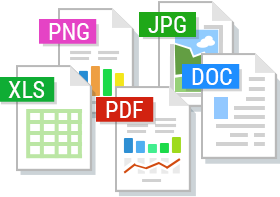
Print Conductor is a smart software solution for automated printing. Batch print PDF files, office documents, technical drawings, legal documents, agreements, presentations, text files, e-mails with attachments, charts, spreadsheets, invoices, images, and many other types of files. The program supports a wide range of file formats such as PDF, DOC, TXT, PSD, XLS, PPT, MSG, JPG, PNG, TIFF, and others, all from a single interface.
Print Conductor streamlines the batch printing process, eliminating the need to manually open each file. It removes the repetitive process of going to "File" → "Print", selecting a printer, setting up print settings, and clicking "Print" for each document. Instead, simply configure your desired settings once, add the documents, and click the "Start Printing" button. Print Conductor will take care of the rest.
Various document types are supported: PDF documents, images, text files, CAD files & technical drawings, legal documents, agreements, presentations, e-mails, leaflets, spreadsheets, invoices, barcode labels, script files, and many more. Print Conductor can batch print:
- PDF files
- Office documents: Microsoft Office Word DOC and DOCX documents, Excel XLS and XLSX spreadsheets, PowerPoint PPT and PPTX presentations, Visio VSD drawings, Publisher PUB files, OpenOffice ODT documents, WPD, RTF, TXT files, XLS charts, PPT presentations, Outlook EML, MSG, PST, OST email messages and more
- CAD files & technical drawings: Autodesk AutoCAD DXF and DWG drawings, SLDDRW, VSD, IDW, IPN (Autodesk, SolidWorks, Visio files), MathCAD Prime MCDX, MCTX, KOMPAS-3D, and more
- Image files: JPEG, PNG, TIFF, PSD, SVG, TGA, RAW images, CorelDraw CDR, CGM, and more
- Archives & archive-based formats: RAR, ZIP, 7ZIP, GZIP, JAR, TAR, P7M
- Zebra ZPL files: labels, industrial barcodes, QR-codes
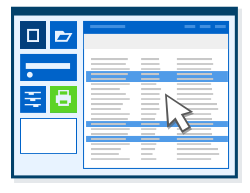
Print Conductor has a simple and very user-friendly interface. The program is compatible with all the latest versions of Microsoft Windows. So you can start printing documents immediately after installing the program – no need to take extra efforts to master the product.
)
)
)
)
)
)
Below is a list of file formats supported by Print Conductor.
Some of these formats can be printed just by using Print Conductor's own internal engine. This means that to print these files, all you need is Print Conductor. For others, you need to have the corresponding application installed. But don't worry, since you are working with these files, it is likely that you already have this application installed. Please refer to the column "Required software" to find out the exact software you need for each file format.
Anyway, all you need to do is to add files to Print Conductor and it will print them without opening any other software.
| Extension | Description | Required software |
| BAT, CMD, JavaScript, VBS, PS1, PS1M | Script file | Internal engine |
| BMP, DIB | Bitmap Image | Internal engine |
| CDR | CorelDraw Drawing | Internal engine |
| CGM | Computer Graphics Metafile | Internal engine |
| CSV | Comma-Separated Values CSV | Internal engine |
| DCX | Dcx Image | Internal engine |
| DICOM | DICOM Image (.dcm, .dic) | Internal engine |
| DJV, DJVU | DjVu Document | Internal engine |
| DOC, DOT | Microsoft Word Document | Internal engine |
| DOCX, DOTX | Microsoft Word Document | Internal engine |
| DFT | Solid Edge Draft Document | Solid Edge |
| DWF | DesignReview | DesignReview |
| DWFX | DesignReview | DesignReview |
| DWG, DXF | Autodesk AutoCAD Drawing | Internal engine |
| EMF | Enhanced Metafile | Internal engine |
| EML, MSG | Microsoft Outlook Message | Internal engine |
| EMLX | Apple Email File Format | Internal engine |
| EPUB | E-book File Format | Internal engine |
| GIF | GIF Image | Internal engine |
| HEIC, HEIF | High Efficiency Image File | Windows 10 (or newer), additional software |
| HPGL | Hewlett-Packard Graphics Language for printers | Internal engine |
| HTM, HTML | Html Document (also printable as source code) | Internal engine |
| ICS | iCalendar file | Microsoft Outlook |
| IDW, IPT, IAM, IPN | Autodesk Inventor Drawing | Autodesk Inventor |
| INDD, INDP, IDAP, INDT, INDL, INX, IDML, QXD, QXT, INDB | Adobe InDesign file | Adobe InDesign |
| JBIG, JBG | Jbig Image | Internal engine |
| JPG, JPEG, JFIF | Jpeg Image | Internal engine |
| KDW, CDW, SPW | KOMPAS-3D Drawing | KOMPAS-3D |
| MCDX, MCTX | Mathcad Worksheet File | MathCAD Prime |
| MD | Markdown file | Internal engine |
| MHT, MHTML | Mht Document | Internal engine |
| MPP | Microsoft Project file | Microsoft Project 2010 or newer |
| NUMBERS | Apple Numbers spreadsheet | Internal engine |
| ODT, ODS, ODP, ODG, ODF | OpenOffice / LibreOffice Document | Internal engine |
| OFD | Open Fixed-layout Document Format | Internal engine |
| OST | Offline Outlook Data File | Internal engine |
| PAGES | Apple Pages Document | OpenOffice or LibreOffice |
| PCX | Pcx Image | Internal engine |
| Portable Document Format | Internal engine or Acrobat or Acrobat Reader | |
| PLT | AutoCAD Plotter Document | Internal engine |
| P7M | Digitally Encrypted Message (smime.p7m) | Internal engine |
| PNG | Png Image | Internal engine |
| PPT | Microsoft PowerPoint Presentation | Microsoft Office 2007 Service Pack 2 (SP2) or newer or OpenOffice or LibreOffice |
| PPTM, PPTX, PPSX | Microsoft PowerPoint Presentation | Microsoft Office 2007 Service Pack 2 (SP2) or newer or OpenOffice or LibreOffice |
| PRN | Microsoft Windows Print File | Internal engine |
| PS | PostScript file | Internal engine |
| PSD | Adobe Photoshop Image | Internal engine |
| PST | Outlook Data File | Internal engine |
| PUB | Microsoft Publisher Publication | Microsoft Office 2007 Service Pack 2 (SP2) or newer |
| RTF | Rich Text Document | Internal engine |
| SLDDRW, EPRT, EPRTX, EASM, EASMX, EDRW, EDRWX, SLDPRT, SLDASM, SLDDRW, PRTDOT, ASMDOT, DRWDOT, 3DXML, STL, CALS, PRT, XPR, ASM, XAS | Solid Works Drawing | eDrawings Viewer 2015 or newer version |
| SNP | Microsoft Access SNAP Image | Internal engine |
| STP, STEP | Standard for the Exchange of Product Data | eDrawings Viewer 2015 or newer version |
| SVG | Scalable Vector Graphic | Internal engine |
| SVGZ | Scalable Vector Graphic zipped | Corel Draw |
| SWF | Small web format | Internal engine |
| TGA | Tga Image | Internal engine |
| TIF, TIFF | Tiff Image | Internal engine |
| TXT, TEXT, JAVA | Text Document | Internal engine |
| VCF | Virtual Card Format | Internal engine |
| VSD, VSDX | Microsoft Visio Drawing | Microsoft Visio 2003 or newer |
| VSDM | Microsoft Visio Macro-Enabled Drawing | Microsoft Visio 2013 or newer |
| WEBP | WebP File Format (.webp) | Internal engine |
| WMF | Windows Metafile | Internal engine |
| WPC | WordPerfect Document | Microsoft Office 2007 Service Pack 2 (SP2) or newer |
| XCF | eXperimental Computing Facility File (GIMP native format) | ImageMagick |
| XLS | Microsoft Excel Spreadsheet | Internal engine |
| XLSX, XLSM | Microsoft Excel Spreadsheet | Internal engine |
| XML | XML files | Internal engine (also printable as source code) |
| XPS, OXPS | Microsoft XPS Document | Internal engine |
| ZPL | Zebra ZPL file | Internal engine |
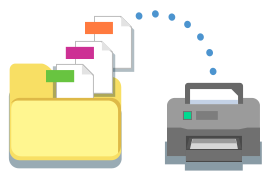
Print Conductor ensures high print quality as well as small traffic load on printer memory and office local network. It has a reliable processing core, and the program deals with large volumes of documents without any problem. Just hit the "Start Printing” button and switch over to your tasks.
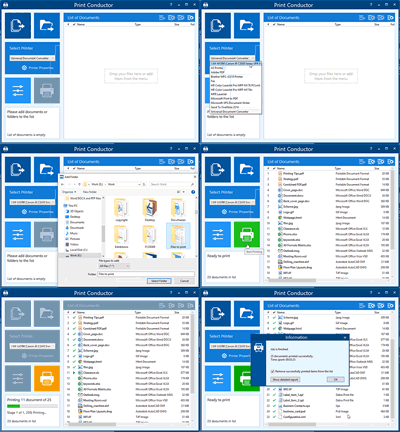
Once you start a print job, you’ll always know how many documents have already been printed and how many remain in the queue. Any files that failed to print are also reported to the user. After processing the entire list of documents, the program provides a detailed job report.
If you often need to print the same files in batches, make regular use of Lists of Documents. Create and save Lists of Documents to use them again later. You can import, export, clear lists, add new files, and remove items from the Lists.
Print Conductor processes your documents directly on your local computer or server — your files never leave your device.
- No Internet required: he software is designed to operate completely offline, making it ideal for secure, air-gapped networks and no-internet deployment.
- No cloud uploads: Your documents are never uploaded to the cloud or shared with external web services (except for ZPL label rendering, which can be disabled).
- No accounts or sign-ins: The software runs as a standard desktop application and doesn't require you to create a user profile, log in, or manage a cloud account.
- Optional offline activation: Even the initial product activation can be handled manually via a separate, internet-connected device, keeping your production environment strictly isolated.
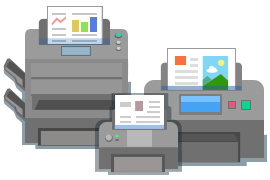
Print Conductor can print documents on any printing device: local printer, network printer or virtual printer. Additionally, you can adjust the settings of the selected printer. You can convert a list of documents to PDF, TIFF, or JPEG if you use Print Conductor with a virtual printer software like Universal Document Converter.
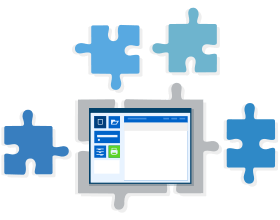
Most files can be printed merely by Print Conductor’s internal engine. However, the program’s processing core may need other software installed for certain filetypes. The program will need Microsoft Visio, Autodesk AutoCAD, or eDrawings Viewer for printing technical drawings and documentation. You can check if you have the necessary programs installed in advance – see the full list of supported formats page or look it up in the program’s help menu.

Print Conductor interface is available in 15 languages: English, Deutsch (German), Español (Spanish), Français (French), Italiano (Italian), Język polski (Polish), Čeština (Czech), Nederlands (Dutch), Русский (Russian), 日本語 (Japanese), 中文 (Chinese), Swedish (Svenska), Arabic (اَلْعَرَبِيَّةُ), Türkçe (Turkish), and Português do Brasil (Brazilian Portuguese). Didn't find your native language? Let us know!
Having trouble printing a specific filetype or need advice on your printer settings? Check our How To section or contact our IT developers team to get high-quality technical support on your issue. Just drop us a note, and our specialists will reply within a few hours. We can help you adjust Print Conductor specifically for your business needs. We can also make a custom build of the program specifically for your task.
- Operating System : .
- Processor : Intel® Core i3 or AMD Athlon® II X2 processor or faster processor.
- RAM Memory : 4 GB RAM or more.
- Storage : 326 Mb + additional space for temporary files.
- Required Software : Microsoft NET Framework 4.0 or newer.