
MacBooster 8 Pro (1 year subscription/5 Mac)

Author Company: IObit
MacBooster 8 Pro (1 year subscription/5 Mac) is designed to free up hard drive space, protect Mac from threats, and speed up Mac system performance. ... ...
File Size:
OS:
License: - Time Limit, free to try, to buy.
File Size:
OS:
License: - Time Limit, free to try, to buy.


MacBooster 8 Pro (1 year subscription/5 Mac)
Enjoy a Faster and More Secure Mac
Macbooster ® Official Site - Download MacBooster 8 - Enjoy a Faster and More Secure Mac
MacBooster 8, IObit official Mac app, helps you clean over 20 types of Mac junk files, easily free up Mac hard drive and make OS X run faster and secure your Mac OS X from Mac malware and Mac adware.
Your one-stop Mac maintenance tool to clean up 20 types of junk files and remove Mac malware and virus to protect your Mac, Besides, MacBooster can optimize Mac hard disk to boost your Mac to the peak performance.

Remove all kinds of junk files to free up more space for your Mac.

Drive your Mac to peak performance by optimizing Mac hard disk.

Keep your Mac away from all potential threat, like virus, spyware, malware, adware.

With one click, MacBooster scans and removes over 20 types of junk files. Give your Mac a full cleanup and regain more space.

Large & old files take up huge space of your Mac hard disk. Within few seconds, MacBooster can locate and remove them easily.

Duplicated files can be generated easily on Mac. Why waste space to keep them? MacBooster finds them and smart cleans the duplicated ones.
With five cleanup tools, MacBooster helps remove gigabytes of junk files from your Mac. Free up your Mac hard disk and give your more space to run your Mac smoothly. This is particularly helpful for Mac users with smaller SSD hard disks.
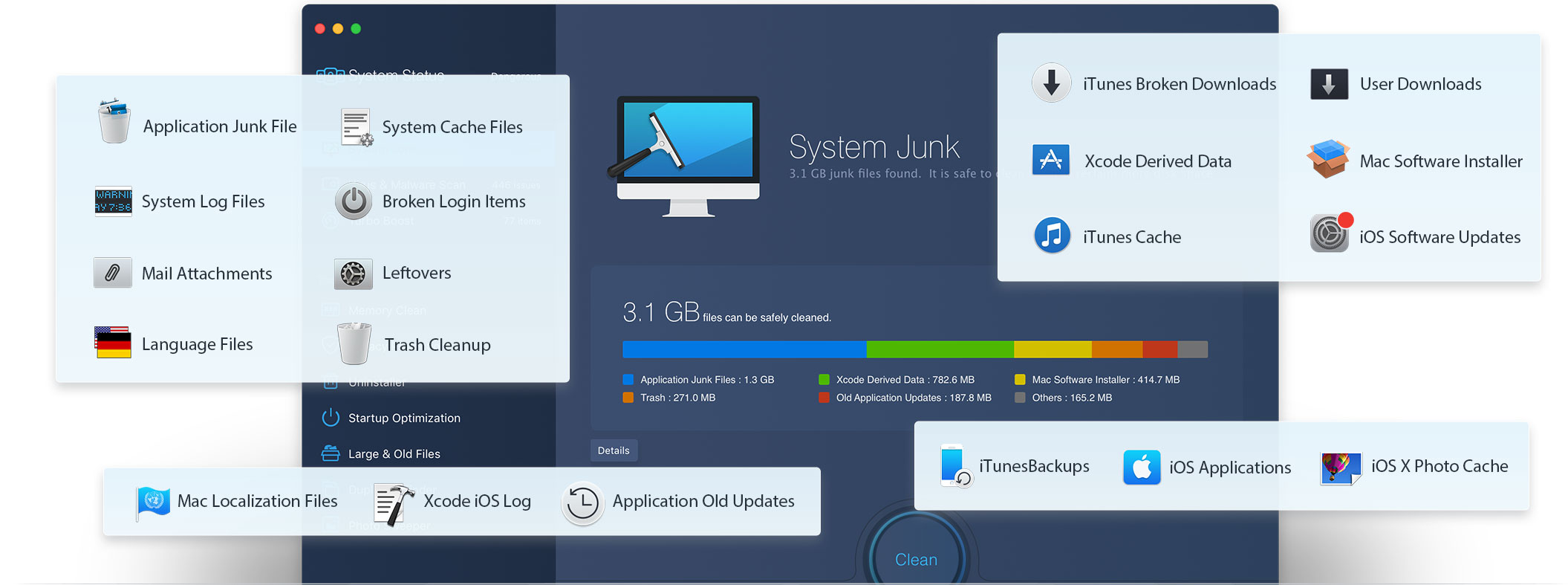
You don’t know how much junk files your Mac would generate every day. But MacBooster are able to scan every corner of your Mac and find over 20 types of junk listed below. Published by IObit, world's top system utility and security software provider since 2004, MacBooster specializes in cleaning up these junk files from your Mac safely.
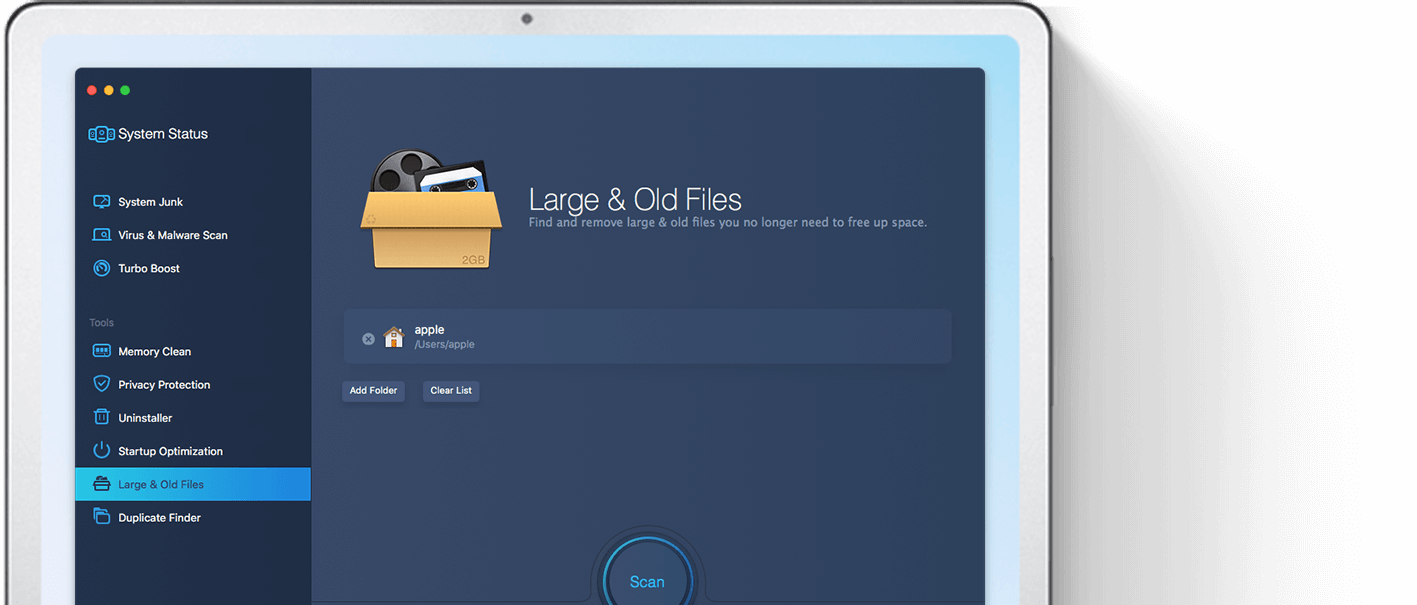
Large & old files take up huge space of your Mac hard disk. MacBooster can easily locate them and get rid of them at your wish. Keep your favorite items on your Mac instead of those unneeded ones.
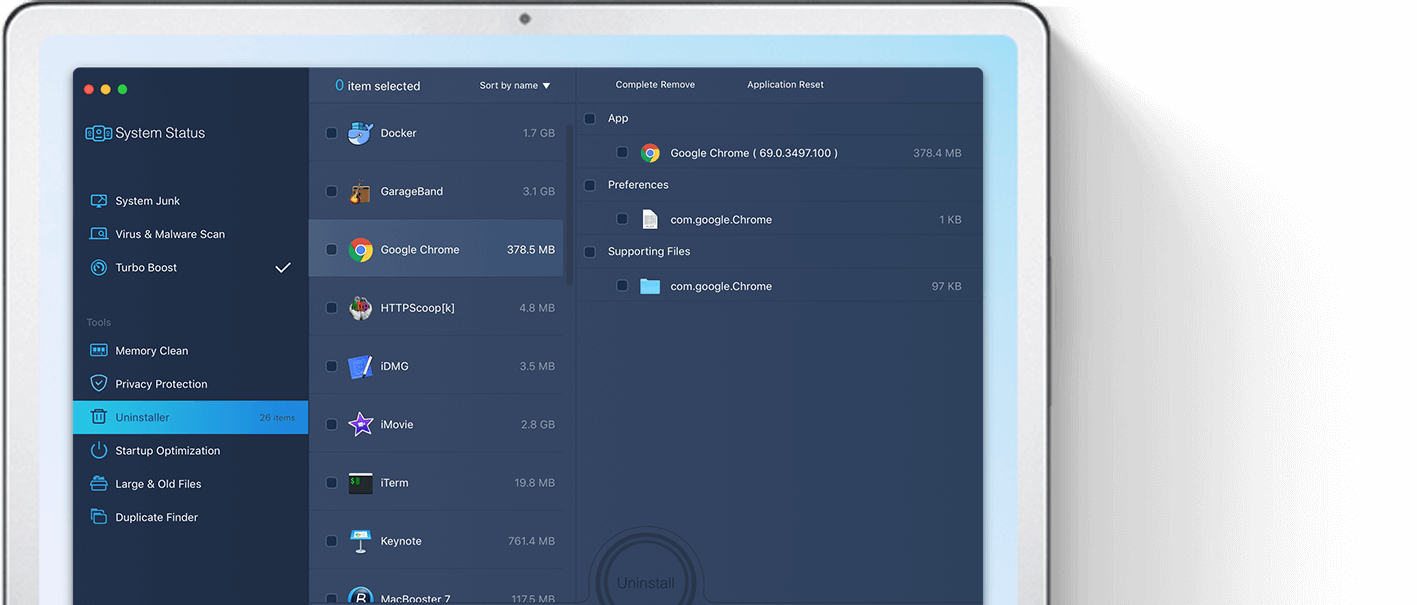
Dragging the app to the trash bin causes lots of leftovers and junk files on your Mac instead of removing it completely. MacBooster provides you with an easy and powerful uninstalling function. It will remove all of the leftovers associated with the app with just one click. At the same time, it also has the function that resets the app to keep it slim.
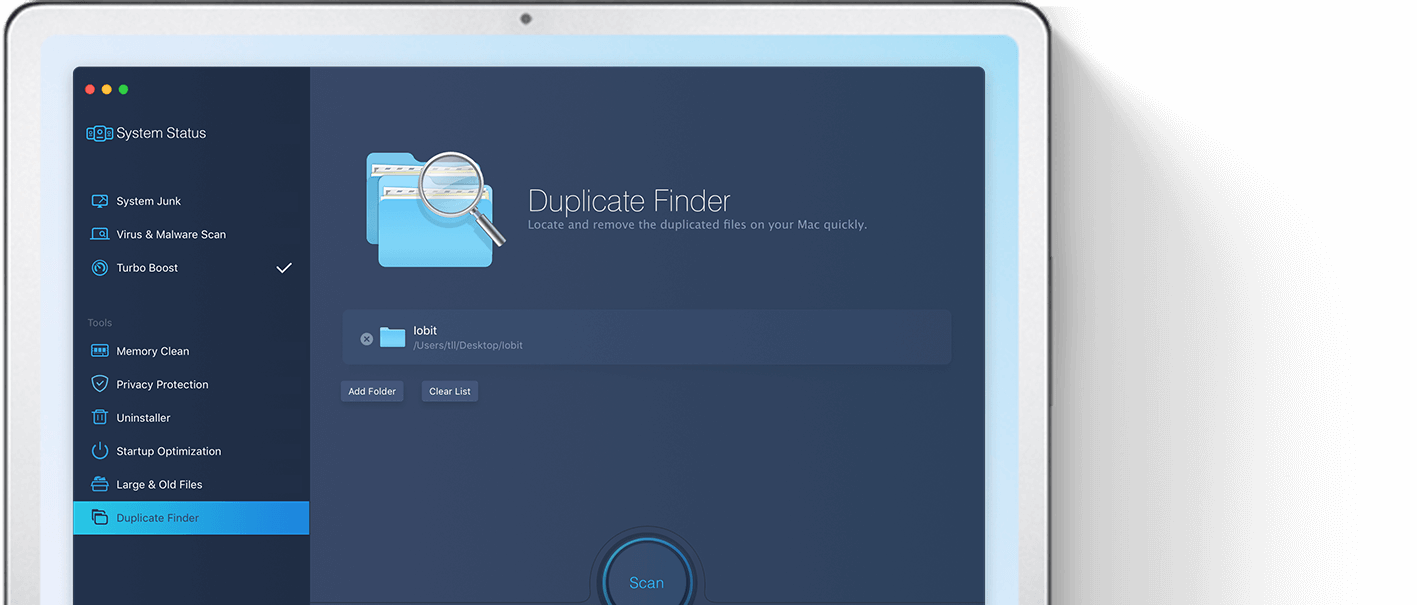
Duplicated files can be generated easily on Mac. Don't underestimate these duplicated files. It may let you cost more money to buy a larger disk. Why waste space to keep them? MacBooster finds them and smart cleans the duplicated ones.
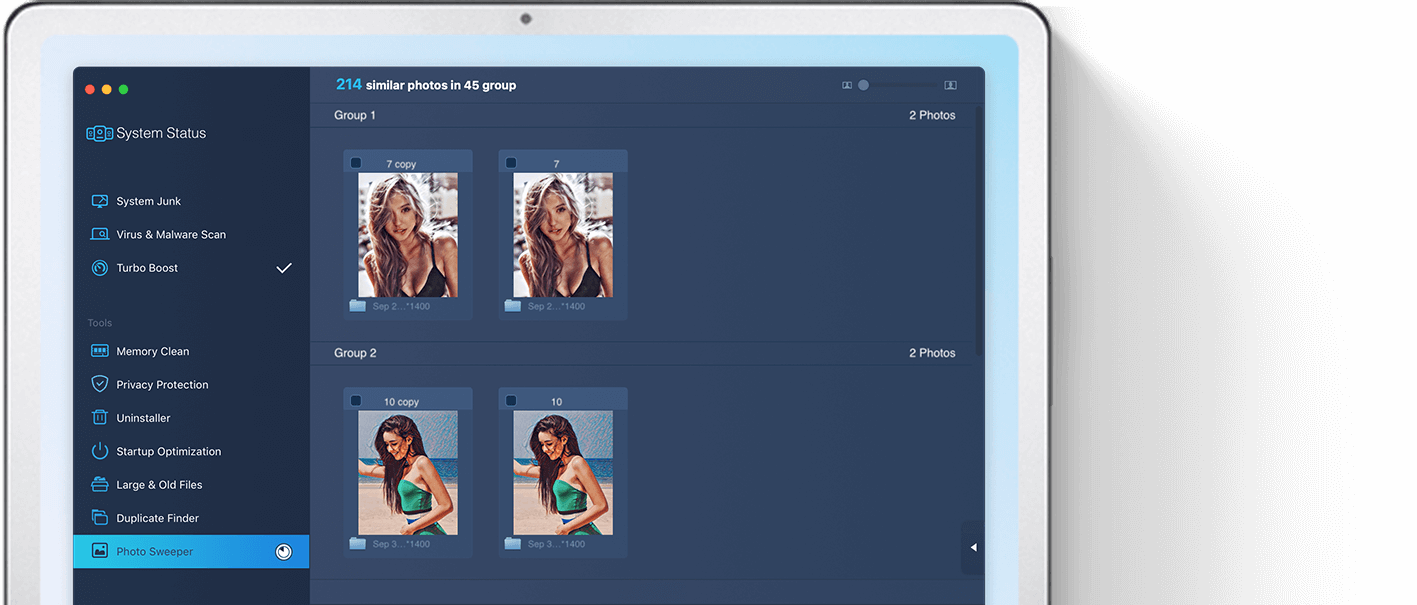
Removing duplicated or similar photos is an extremely efficient method for freeing up more space on your Mac's hard drive. Plus, it gets easier to work with your entire photo library when you only keep the good ones. MacBooster will help you to do this easier.
You don’t know how much junk files your Mac would generate every day. But MacBooster are able to scan every corner of your Mac and find over 20 types of junk listed below. Published by IObit, world's top system utility and security software provider since 2004, MacBooster specializes in cleaning up these junk files from your Mac safely.
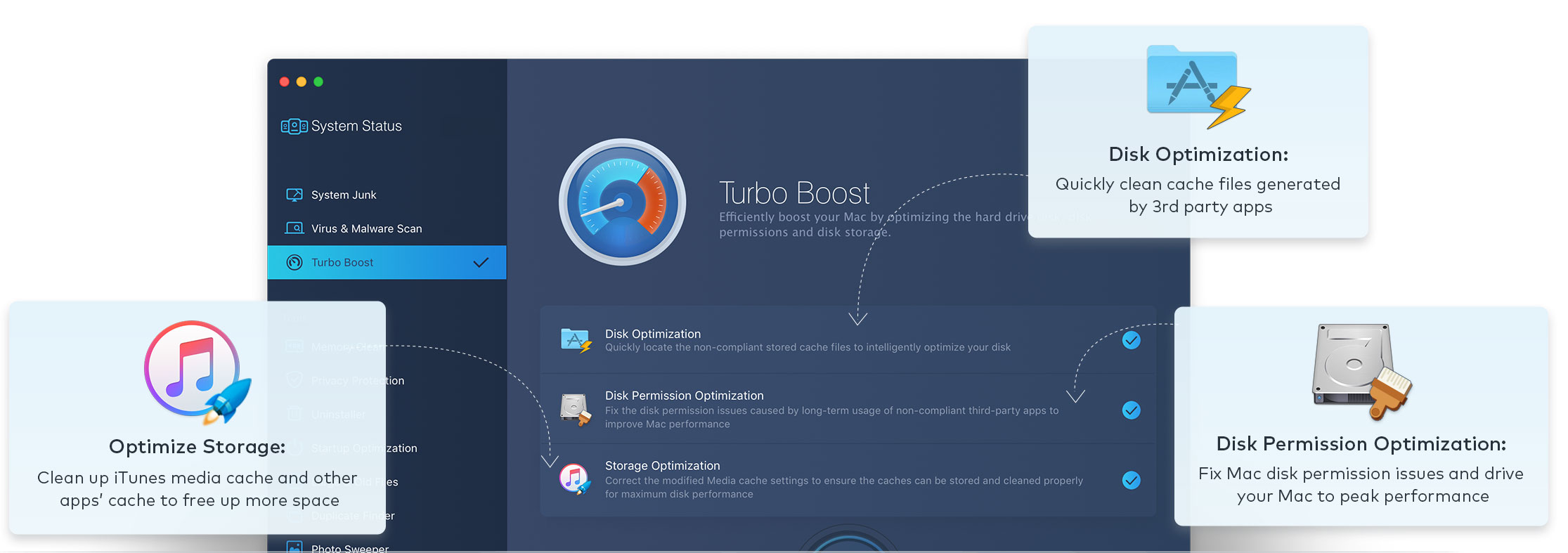
Your Mac will be dragged slowly if your Mac disk permission has been changed no matter by yourself or the third party apps. And what’s more, the cache produced by the third party apps, especially the iTunes and the media app will occupy large space of your disk. MacBooster can fix the disk permission issues and optimize your disk storage to boost your Mac to the peak performance.
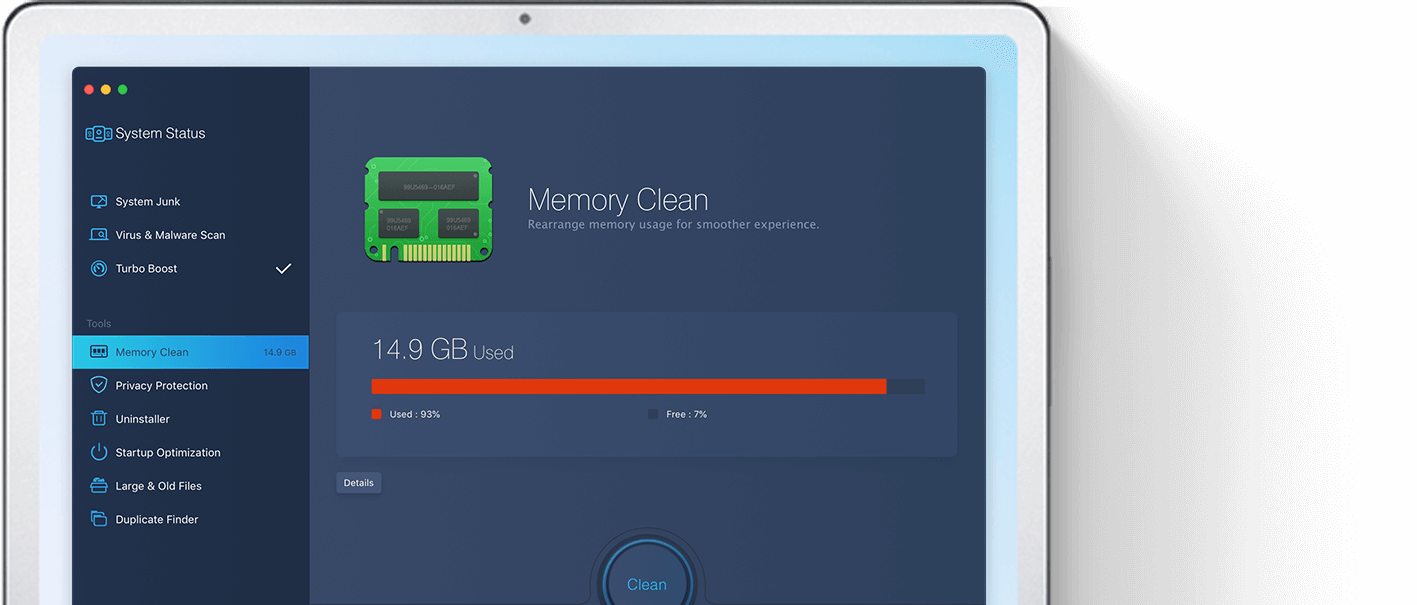
Somehow, your Mac is getting slow. After clicking on the app, you have to wait for a while before it pops up. The Inactive memory is used by recent activity and apps. Mac keeps it reserved in case you want to open the program again. High-consumption RAM apps are the culprits. MacBooster helps you to optimize or even close those apps taking up the memory and free up inactive memory for a faster running Mac.
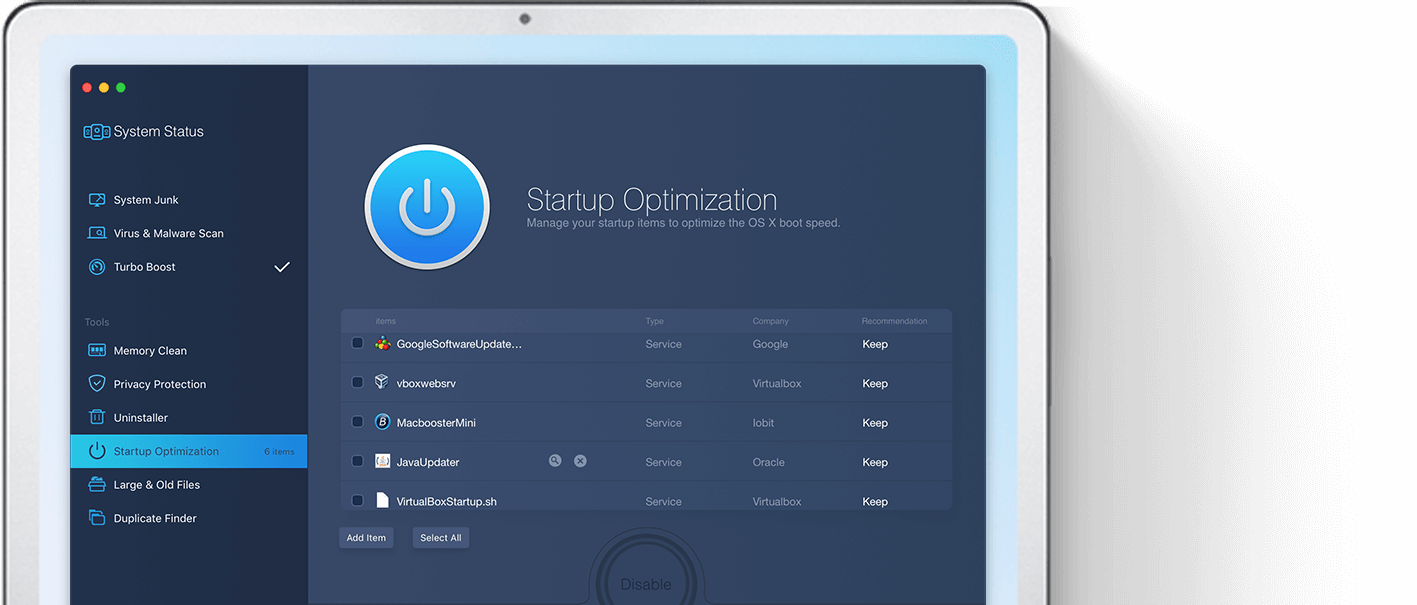
Many startup items from third-party apps will run automatically at once after you boot your Mac. This will definitely drag your Mac slow. These login startup items are taking up and even scrambling for resource from your Mac RAM and CPU. MacBooster analyzes your MacOS and optimizes these startup items to speed up your Mac like new.
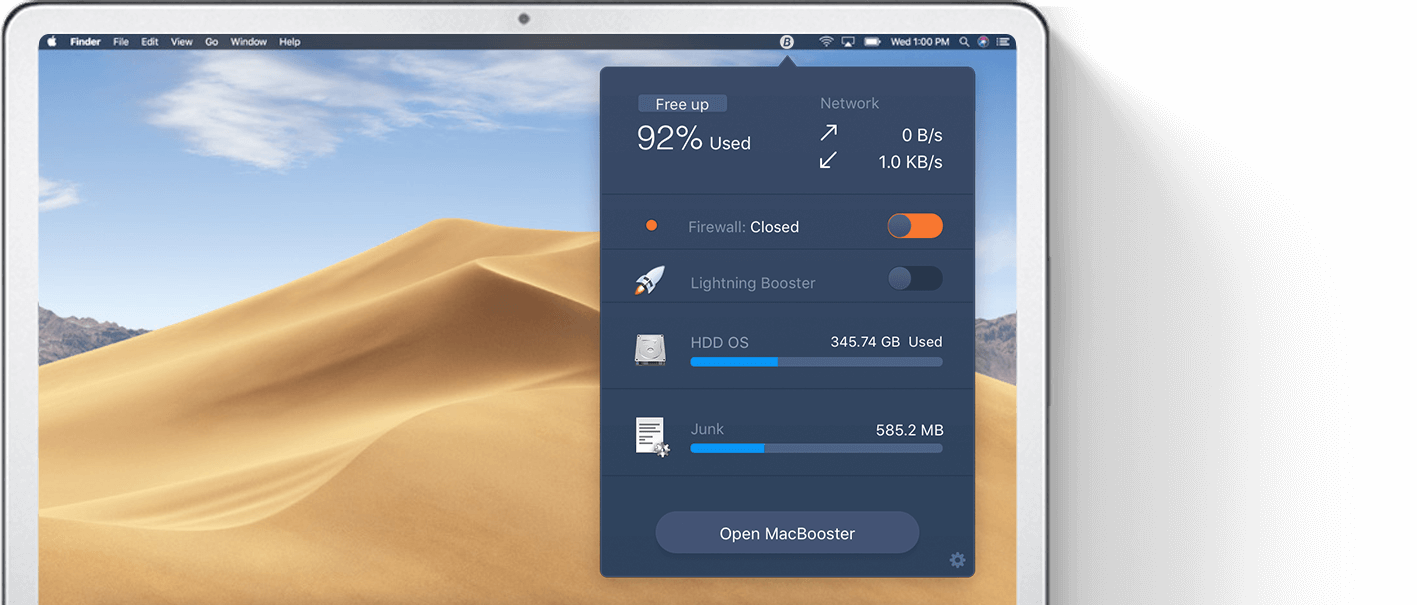
The MacBooster Mini, which is standing by at the menu bar, offers more than what you can imagine. It shows you the usage of the memory and the status of network and firewall. At the same time, it offers you one click to clean memory, Cache, trash and optimize DNS. With the Lightning Booster mode, it can provide you with a faster online surfing experience.
Hackers attack any operation system no matter macOS or Windows. There are so many adware, malware, spyware and virus out there full of the whole internet. They are created to steal information from you or just mess up your system. MacBooster provides real-time protection for your Mac and keeps your Mac away from all kinds of online threats.



MacBooster offers full scan of your macOS and removes any virus or threats from your Mac. Any spyware or attacks will be blocked by MacBooster’s real-time protection.
Once you got malware in your Mac, you may find your search engine changed, pop-ups and malicious files appeared. MacBooster can always locate and remove these adware and malwares.
Malicious cookies in the browsers or unsafe app may track or even get your personal information leaked. MacBooster guards your privacy all the time. Let you enjoy a safer & cleaner browsing.
- Operating System : .
- Free Disk Space : At least 70 MB of available space.