 Utilities
Backup
Genie Backup Manager Home 9 Description
Genie Backup Manager Home 9

Author Company: Genie9
Genie Backup Manager Home 9 - Combines all your data protection needs in one simple solution for all users - Lifetime. ... ...
File Size:
OS:
License: - Time Limit, free to try, to buy.
File Size:
OS:
License: - Time Limit, free to try, to buy.


Genie Backup Manager Home 9
Comprehensive backup solution for home users
Legacy Backup Products - Genie Timeline & Backup Manager.
Trusted backup solutions for Windows. Genie Timeline for simple continuous backup, Backup Manager for advanced control.
Full-featured backup software with advanced options for home users, businesses, and IT professionals who need flexibility and reliability.
Advanced features for users who need complete control
Choose from full, incremental, or differential backups to optimize storage and time
Backup to FTP, Amazon S3, or network drives for disaster recovery protection
Protect your data with AES-256 encryption and password protection
Save storage space with advanced compression algorithms
SQL, Exchange, and system state backup for complete business protection
Create bootable recovery media for complete system restoration
Flexible backup solutions for different needs
Protect important documents, photos, and personal files with automated backups
- Local & external drive backup
- Email notifications
- Easy file recovery
Complete business continuity with database and server backups
- SQL & Exchange backup
- Network drive support
- Disaster recovery
Secure offsite backups for distributed teams and remote workers
- FTP/SFTP backup
- Amazon S3 support
- Military-grade encryption
Safeguard your data from disasters by backing up to remote locations
- Backup to the reliable and robust cloud storage; Amazon S3
- Amazon’s Server Side Encryption (SSE) support
- FTP/FTPS backup support to store your backups offsite
- Bandwidth throttling for Amazon S3, FTP and FTPS
Features that offer flexible backup
- Three backup types; Full, incremental, and mirror
- Backup scheduler
- Backup to virtually any media; Local, external, FTP/FTPS, Network, CD, DVD, and Blu-ray
- Purging old backup
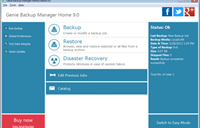
Protect your computer from hardware failures, crashes and viruses with Disaster Recovery
- Backs up all system files, program files, user data, and system state
- Step-by-step restore wizard for easy recovery
- System startup options
Keep your backup safe with military-level encryption
- Encrypts backup with 128, 192 and 256-AES encryption
- Supports Zip password protection
- Backs up encrypted drives
Fast backups that don’t cause slowdowns
- Adjust resource use during backup
- The ability to run scheduled backups while logged off
- Power saving options after backup completes
- Battery saving mode for laptops
View and restore your backups without GBM
- Swift Restore that restores your backup without installing software
- Backup without compression to view your backup in its native form
- FTP/FTPS and Amazon S3 backup support to store your backups offsite
- Email notifications and alerts sent directly to your Inbox
Run backup jobs manually or via schedule
- Basic and Advanced Scheduling modes
- Pause and resume options during backup
- Postpone backup runs with the snooze button
- Run backups while logged off
- Power-down your computer after backup
Limit the backup size or set compression to save space
- Multiple compression levels
- Purge settings to delete older backups
- Mirror backups that delete missing files from backup
- File filtering by date or file types to include or exclude from backup
- Set how much space the backup uses on each drive
- Operating System : .
- Processor : 1 GHz processor.
- RAM Memory : 512 MB RAM (1 GB recommended).
- Storage : 200 MB free disk space.