
AVS4YOU One Year Subscription

Author Company: SIA "Ascensio System"
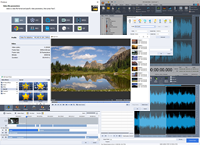
AVS4YOU One Year Subscription - Ultimate multimedia editing family. 5 professional tools + free upgrades + free support! ... ...
File Size:
OS:
License: - Time Limit, free to try, to buy.
File Size:
OS:
License: - Time Limit, free to try, to buy.


AVS4YOU One Year Subscription
License AVS Video Editor 1 Year Subscription

- All key formats supported
- User-friendly Timeline/Storyboard
- Trim, cut, split, merge, rotate
- 300+ modern video effects
- Video recording and capturing
- Exporting & publishing
In stock
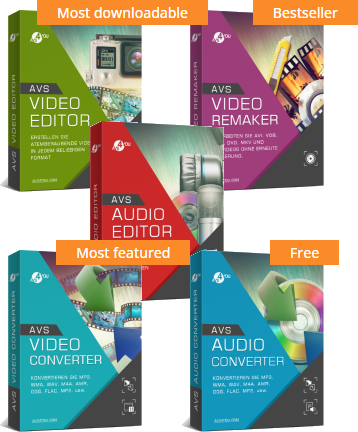
- AVS Video Editor - Powerful video editing software for Windows
- AVS Audio Editor - Easy audio recording and editing software for Windows
- AVS Video Remaker – Fast and simple video editor to make basic edits
- AVS Video Converter – All-in-one converter, compressor and editor
- AVS Audio Converter – Feature-rich audio conversion and compression application
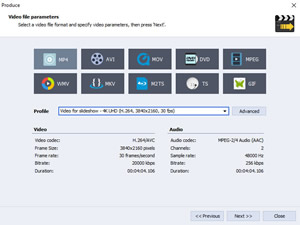
- Edit and save video in all popular formats (MP4, M4V, MOV, MKV, WEBM, AVI, DVD, VOB, MPG, WMV, 3GP, FLV, M2TS, TS, etc.)
- Process video in any resolution HD, Full HD, 2K Quad HD, 4K Ultra HD and DCI 4K.
- Open, modify and save video using popular codeсs H.264/AVC, VP8, MPEG-4, MPEG-2, MJPEG, H.263 etc. You can also open video files with modern codecs H.265/HEVC, AV1, VP9.
- Speed up HD video editing due to the integrated video cache technology and hardware acceleration for video decoding by means of video cards (GPU): Intel HD Graphics or NVIDIA® GeForce® .It is available for H.264/AVC, H.265/HEVC, AV1, VP9, VP8, VC-1 and MPEG-2 codecs.
- Use special automatic presets for powerful computers.
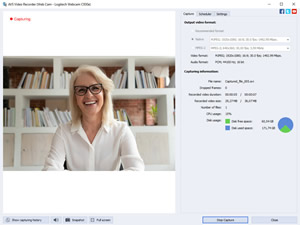
- Transfer video from DV/HDV cameras, webcams or VHS cameras.
- Record media files from your PC screen. Capture full screen or select an area to be recorded. It is possible to record video with or without audio.
- Draw on video anything you like, add text annotations, highlight important details with circles, rectangles and arrowed lines.
- Add a mouse click effect and animation while recording. Make snapshots in a click and save them to JPEG, PNG, BMP.
- Split the recording by file size or duration. Stop recording automatically by setting the time limit or maximum file size.
- Give a new life to old VHS tapes.
- Cut out a particular scene or remove shaky and unnecessary parts.
- Split videos regardless of both the video size and formats.
- Join as many video files as you want.
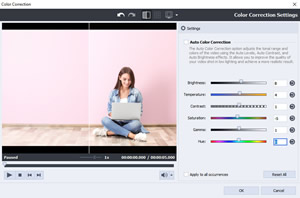
- Fix up any white balancing issues and color mismatches with color tuning.
- Fix a shaky footage with video stabilization.
- Use chroma key effect to change your background.
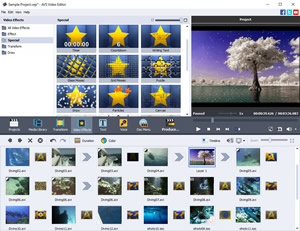
- Import images, add your voice or favourite audio tracks.
- Insert captions, visual effects and transitions.
- Create personal and corporate slideshows easily.
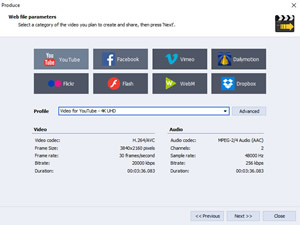
- Save the newly-made video in the desired format on your computer.
- Adjust video for your iOS and Android devices.
- Create video for YouTube, TikTok, Instagram, Vimeo and other video hosting websites.
- Publish your creative work in social networks.
- Edit all popular formats MP3, FLAC, WAV, M4A, WMA, AAC, MP2, AMR, OGG, etc.
- Cut, join, trim, delete parts, split audio files.
- Mix audio and blend several audio tracks together.
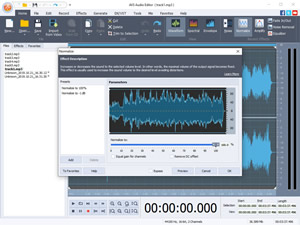
- Select between 20 built-in effects and filters including delay, flanger, chorus, reverb, reverse, echo and more.
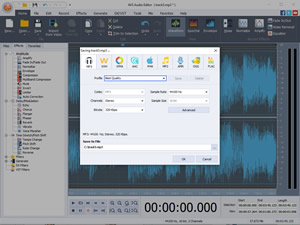
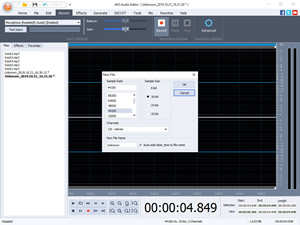
- Record audio data from various inputs like microphone, vinyl records, and other input lines on a sound card.
- Extract and edit audio from your video files.
- Remove noise and irritating sounds like roaring, hissing, crackling, etc.
- Change sound bitrate to any desired level.
- Use an equalizer to adjust volume in a desired way.
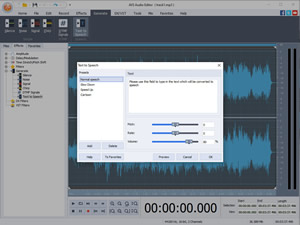
- Turn written text into a natural sounding voice with Text-to-speech function.
- Create ringtones for iPhones and other smartphones.
- Cut, delete unwanted parts, change scene sequence in all popular video formats.
- Save videos quickly and keep the original quality.
- Merge several video files with similar parameters.
- Edit MP4, M4V or MOV videos recorded with iPhone, iPad or Android smartphones and tablets.
- Edit AVCHD, MOD, MTS/M2TS, TOD, etc. video files recorded with camcorders and video cameras.
- Edit MP4, MOV, MKV or AVI video files with modern H.265/HEVC codec.
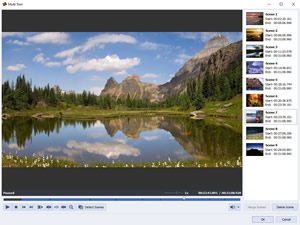
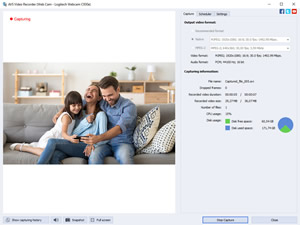
- Transfer video from camcorders and video cameras to your PC, edit files and create home video DVDs.
- Capture video from Web cameras and DV cameras.
- Choose the desired format of captured file (WMV, AVI), Sound source, Mouse cursor effects.
- Use Screen Capture function to create How-to videos or tutorials.
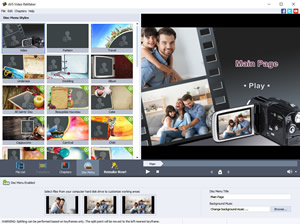
- Split video into chapters, select between a number of menu templates.
- Choose auto sets and let our program split the file independently.
- Burn video files on to DVD- or Blu-ray discs.
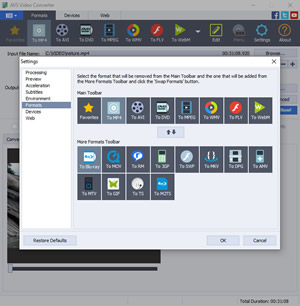
- Encode HD Video, MP4, MOV, MKV, WEBM, AVI, WMV, DVD, VOB, MPEG, Blu-ray with popular codecs H.264/AVC, VP8, MPEG-4, MPEG-2, MJPEG, H.263 etc. You can also open video files with modern codecs H.265/HEVC, AV1, VP9.
- Convert HD-camera recordings AVCHD, MPEG-2 HD, AVI HD, TOD/MOD, M2TS/MTS, etc.
- Convert HD, Full HD, 2K Quad HD, 4K Ultra HD and DCI 4K video using ultra new presets and enjoy high quality video playback.
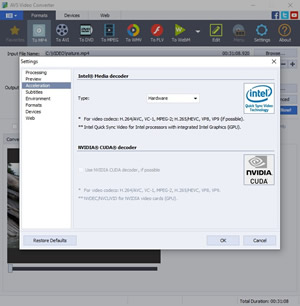
- Use hardware acceleration for video decoding by means of video cards (GPU): Intel HD Graphics or NVIDIA® GeForce®. It is available for H.264/AVC, H.265/HEVC, AV1, VP9, VP8, VC-1 and MPEG-2 codecs. It speeds up preview and conversion processes significantly.
- Use hardware Intel® Media decoder with Intel® Quick Sync Video technology only for Intel CPU with integrated Intel Graphics.
- Use software Intel® Media decoder for AMD and old Intel processors.
- You can use a common software decoder for all processors as an alternative.
- Use Auto mode to choose the optimal decoder among common, hardware or software Intel® Media.
- You can use NVIDIA CUDA® decoder with NVDEC/NVCUVID technology for NVIDIA video cards.
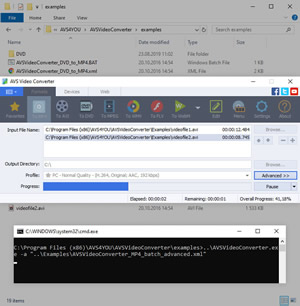
- Command Line Mode
Automate routine work using ready conversion templates without clicking the program buttons manually. - Batch Mode
Save your time spent on video conversion by using a batch mode which allows you to convert a large number of video files at once with easy-to-use configurations.
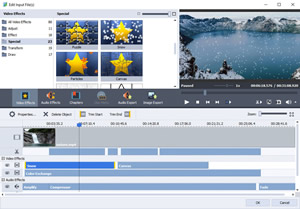
- Split your videos into parts, by chapters, size and cut unnecessary scenes.
- Merge video files into one.
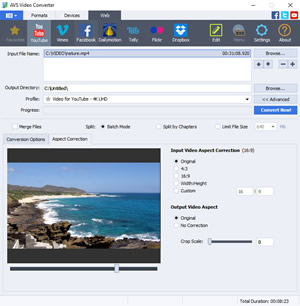
- Change the aspect ratio of your video.
- Use basic video editing effects to make your videos more breathtaking.
- Convert video files with subtitles.
- Export audio and images from your video.
*This feature is available in a full version.
- Save video to any format for modern gadgets (smartphones, tablets, consoles etc.):
Apple iPhone, Apple iPad, Samsung Galaxy, Samsung UHD TV, Sony PlayStation, Microsoft Xbox, Sony Xperia, Android smartphones and tablets. - Create DVD/Blu-ray discs
Convert from to Blu-ray or DVD formats. Cut, apply effects, add colorful DVD/Blu-ray menus. Split your movie into chapters and burn DVD/Blu-ray discs. - Convert videos for popular social platforms
Use ready presets with most appropriate settings to convert video for YouTube, Facebook, Vimeo, DailyMotion, Telly, Flickr, Dropbox.
- Convert MP3, WMA, WAV, M4A, AMR, OGG, ALAC, FLAC, AC3, MP2, etc.
- Trim, delete unnecessary parts, merge files, apply effects (Fade in, Fade out, Normalize). *
- Modify audio file information: Title, Author, Artist and Album cover.
*This feature is available in a full version.
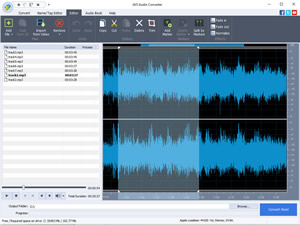
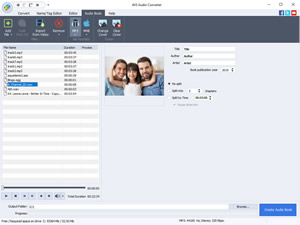
- Create Audiobooks. Convert your audio tracks to M4B format, divide them into chapters and add bookmarks. *
- Create ringtones: Edit an audio file and save it to M4R format for iPhone.
- Export audio from video files DVD, MPEG, MP4, AVI, MOV, WMV etc.
*This feature is available in a full version.
- Use a batch mode to convert or compress a large number of audio files at once.
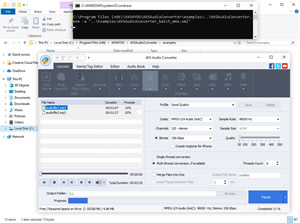
- Create your own conversion patterns, set favorite presets and schedule an automatic conversion process using a command-line mode. *
*This feature is available in a full version.
More Products from company SIA "Ascensio System" :
Check for all products list from SIA "Ascensio System" ...
Check for all products list from SIA "Ascensio System" ...